
Figma Unveils Exciting New Features at Config 2026
New Delhi, June 25, 2026 – Figma, a popular design platform, has rolled out a range of new features during its Config 2026 event. These updates are set to enhance the user experience by seamlessly blending coding, animation, and AI tools into the design process.
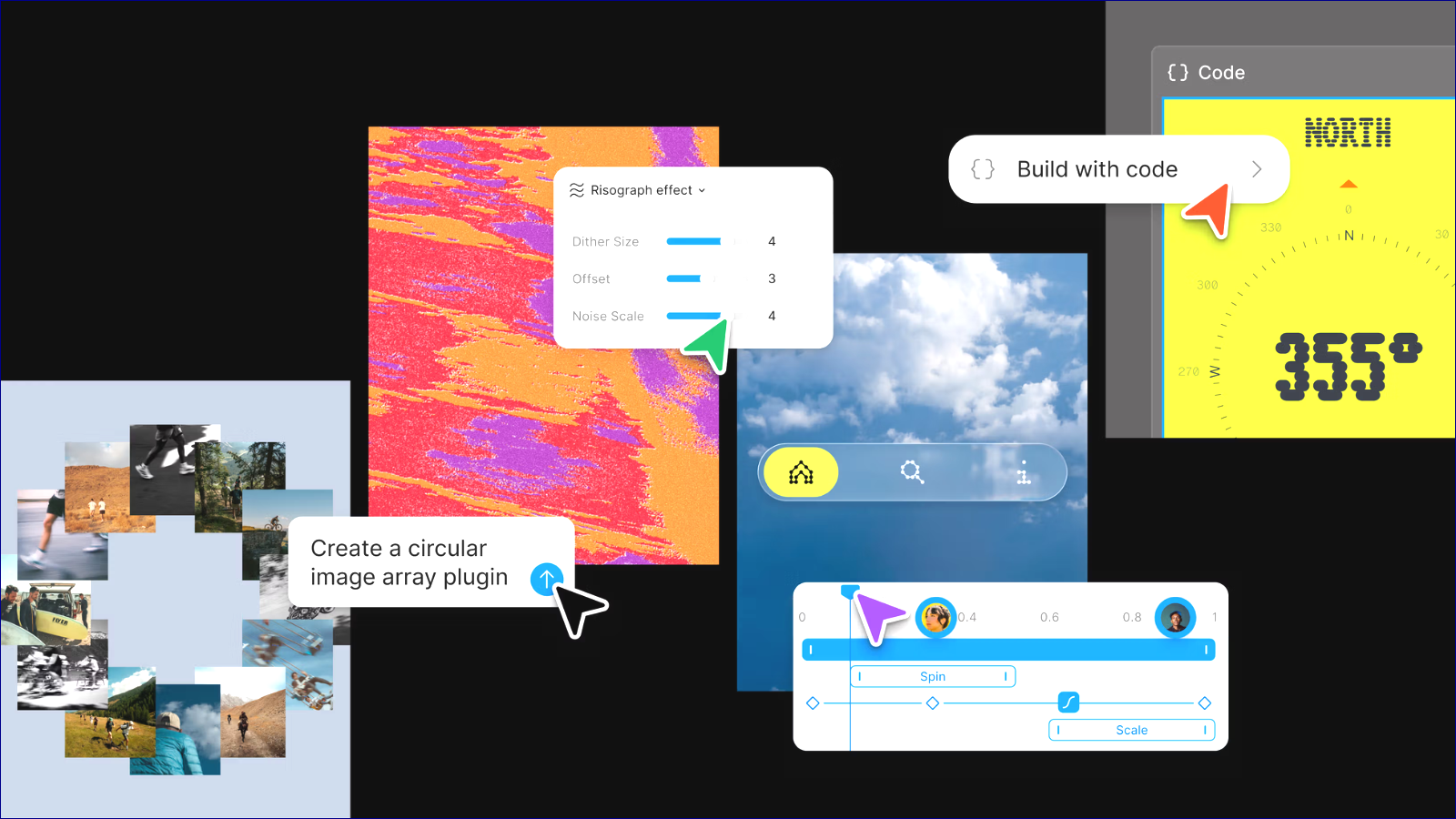
One of the standout features is Code Layers, which allows users to turn design items into interactive, code-based parts right on a shared canvas. This feature enables teams to easily switch between design and code, making it easier to test and refine their work without getting bogged down in ready-made code.
Figma also introduced Figma Motion, a comprehensive animation system. This new tool includes timelines, keyframes, and AI-driven animation generation, helping designers create dynamic motion effects without having to leave the platform. Developers can inspect motion data in Dev Mode and export it in various formats, such as CSS, MP4, and even GIF.
To further enrich its platform, Figma expanded its AI toolkit with Shader Fills and Effects. This feature allows users to generate visual effects simply by using text prompts or by uploading reference images. These effects can be customized directly within the design area without requiring deep technical skills in shader programming.
Another exciting addition is Generative Plugins. This feature lets users create custom tools using simple language prompts, streamlining specific tasks like layout creation and vector tracing. This removes the need for conventional plugin development and gives users more flexibility in their workflows.
Figma is also building on its recent acquisition of Weavy, a workflow platform. Later this year, Figma users will be able to create Weavy workflows directly within the Figma interface, enabling AI-enhanced creative processes that work alongside design projects.
Moreover, Figma has upgraded its AI assistant with new capabilities. Teams can now create repeatable workflows through prompts and connect with third-party services like Notion, GitHub, and Slack. This makes project collaborations easier, allowing team members to share insights and work together more effectively.
These updates highlight Figma’s vision of merging design, coding, animation, and AI in an integrated workspace. As the demand for AI-driven workflows grows, Figma is positioning itself as a platform where designers, developers, and product managers can turn ideas into reality without juggling multiple tools.
