Close Menu
  • Home
  • World News
  • India News
  • Business News
  • Health
  • Sports
  • Indian Diaspora In US
  • Technology
  • Bollywood
  • Education
Facebook X (Twitter) Instagram
Friday, April 17, 2026
Breaking News
  • China Intensifies Pressure on Underground Catholics to Align with State Church, Report Reveals
  • Arshdeep Singh Shines Under Ponting’s Mentorship as PBKS Clinches Victory
  • VIV Select India Launches with a Spotlight on Global Livestock Trends
  • Emerging Asian Tech Stocks Set to Soar
  • Ahsaas Channa’s “Gudgudi” Set to Shine at the 79th Cannes Film Festival in the Marché du Film Spotlight
  • Art Meets Mythology: Kurukshetra Hosts a Colorful Painter’s Vote
  • MI vs PBKS, IPL Play of the Day: Shreyas Iyer Shines as the New Monarch of Chases
  • Office Air Alert: How Workplace Environments Are Wreaking Havoc on Your Skin and Hair
Facebook X (Twitter) Instagram
India Bulletin
Advertisement
  • Home
  • World News
  • India News
  • Business News
  • Health
  • Sports
  • Indian Diaspora In US
  • Technology
  • Bollywood
  • Education
India Bulletin
Home»Technology»Gemini for Android Could Soon Handle Background Requests! | Tech Update
Technology

Gemini for Android Could Soon Handle Background Requests! | Tech Update

December 24, 20252 Mins Read
Facebook Twitter Email
Share
Facebook Twitter Email


Google is enhancing its AI, Gemini, across various devices, including smartwatches, smartphones, and home assistants. As this AI chatbot improves and gains popularity, the company is also working on making the user experience better.

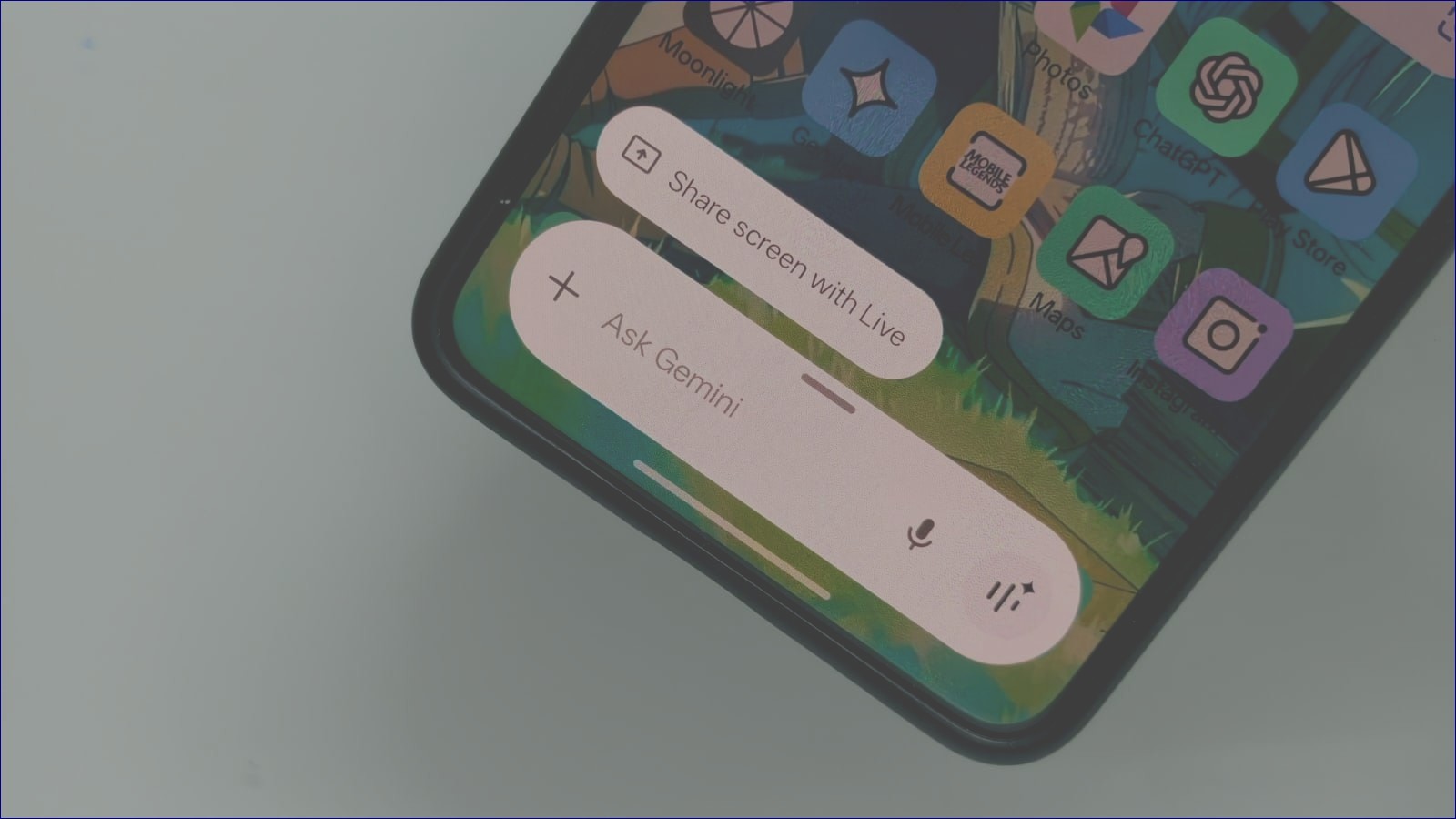
A recent report from Android Authority reveals that Google is developing a feature that will let Gemini handle some requests in the background. Right now, users must reactivate the Gemini overlay by saying a specific hotword or pressing the power button. Unfortunately, this overlay disappears when users tap elsewhere, which means they must start over if they want to interact again.

However, in the latest beta version of the Google app, it seems Google has made progress. The new interface allows users to move away from the Gemini overlay without losing track of what they were doing in other apps.

In a video showcasing this feature, users can see that once they engage with Gemini, they can return to the app behind it while the AI continues processing requests in the background. Users can later check the results by tapping a floating button that appears on the screen.

This update could be a game-changer for those who want to use Gemini without worrying about interruptions from the overlay. However, since this feature is still being tested, it may take some time before everyone gets access to it.

Google Gemini google gemini background overlay google gemini background process google gemini floating button google gemini new feature google gemini overlay android google gemini overlay update
Share. Facebook Twitter Email
admin
  • Website

Related Posts

Emerging Asian Tech Stocks Set to Soar

April 16, 2026

USA Rare Earth Delivers Premium High-Purity Yttrium Output

April 16, 2026

Post-Boom Shift: How AI is Transforming Venture Capital Dynamics

April 16, 2026
  • Facebook
  • Twitter
  • Instagram
Don't Miss

China Intensifies Pressure on Underground Catholics to Align with State Church, Report Reveals

Arshdeep Singh Shines Under Ponting’s Mentorship as PBKS Clinches Victory

VIV Select India Launches with a Spotlight on Global Livestock Trends

Emerging Asian Tech Stocks Set to Soar

Started in 2004, India Bulletin is the largest and
most read South Asian publication
in Chicago and surrounding Midwest.

  • Home
  • About Us
  • Contact
  • Advertise With Us
  • Privacy Policy
  • Terms of Use
  • Disclaimer
  • CCPA
News
  • Bollywood
  • Business News
  • Health
  • India News
  • Indian Diaspora In US
  • Sports
  • Technology
  • World News
Facebook X (Twitter) Instagram

Type above and press Enter to search. Press Esc to cancel.

Accessibility Adjustments

Powered by OneTap

How long do you want to hide the toolbar?
Hide Toolbar Duration
Select your accessibility profile
Vision Impaired Mode
Enhances website's visuals
Seizure Safe Profile
Clear flashes & reduces color
ADHD Friendly Mode
Focused browsing, distraction-free
Blindness Mode
Reduces distractions, improves focus
Epilepsy Safe Mode
Dims colors and stops blinking
Content Modules
Font Size

Default

Line Height

Default

Color Modules
Orientation Modules